

TorchProxies https://torchproxies.com

Proxy Type
Residential ProxiesISP ProxiesStatic Residential ProxiesRotation Residential ProxiesHow to Use a Promo Code in TorchProxies
Let's walk through how to apply a promo code when buying proxies at TorchProxies. Note that there are two different promo codes, and each one works with its own proxy type:
- CAPROXYResi20 – applies to rotating residential proxies and gives 20% off
- CAPROXY10 – applies to ISP proxies and gives 10% off
Once you have picked a plan, click the "Buy Now" button and a window will open where you choose your payment method.
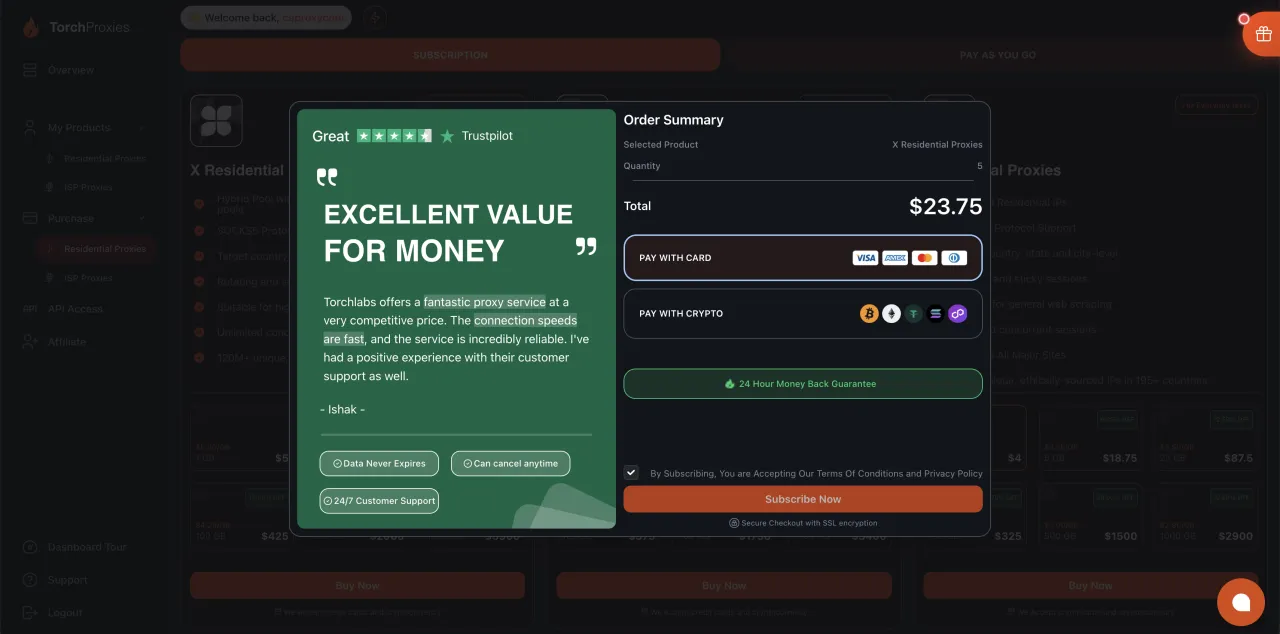
One thing worth knowing: the field for the promo code (coupon) is in a different place depending on the payment method. If you pay with cryptocurrency, enter the promo code right in this window, as shown in the screenshot below.
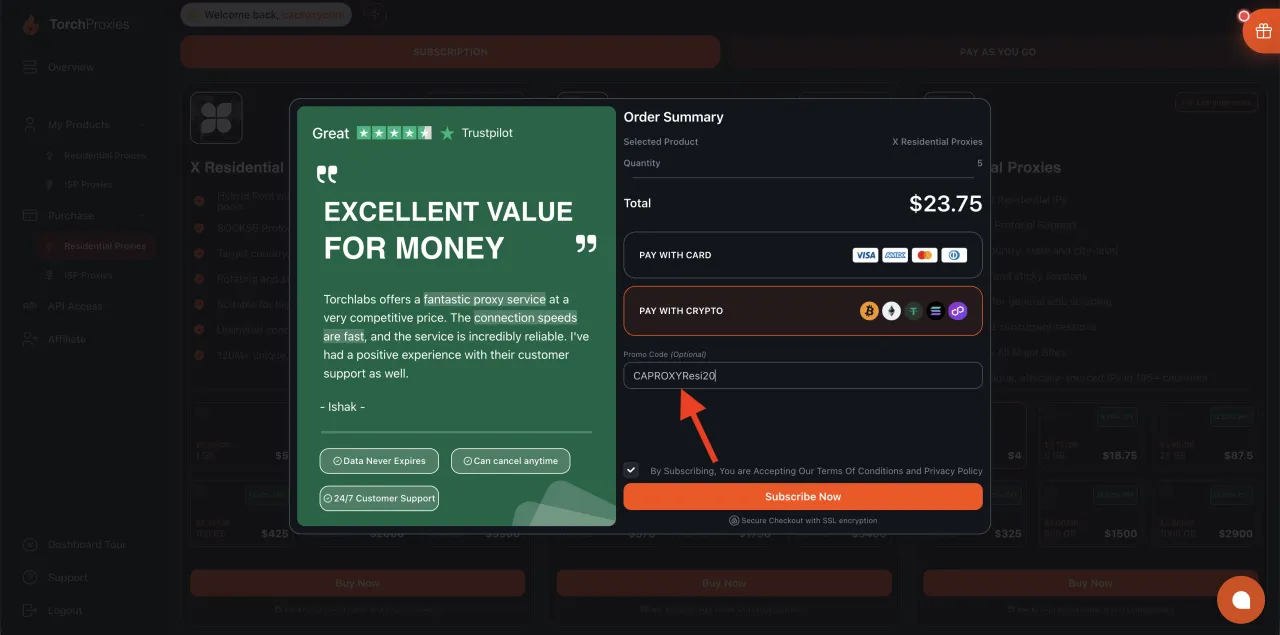
Once you click "Subscribe Now", the amount due is recalculated automatically.
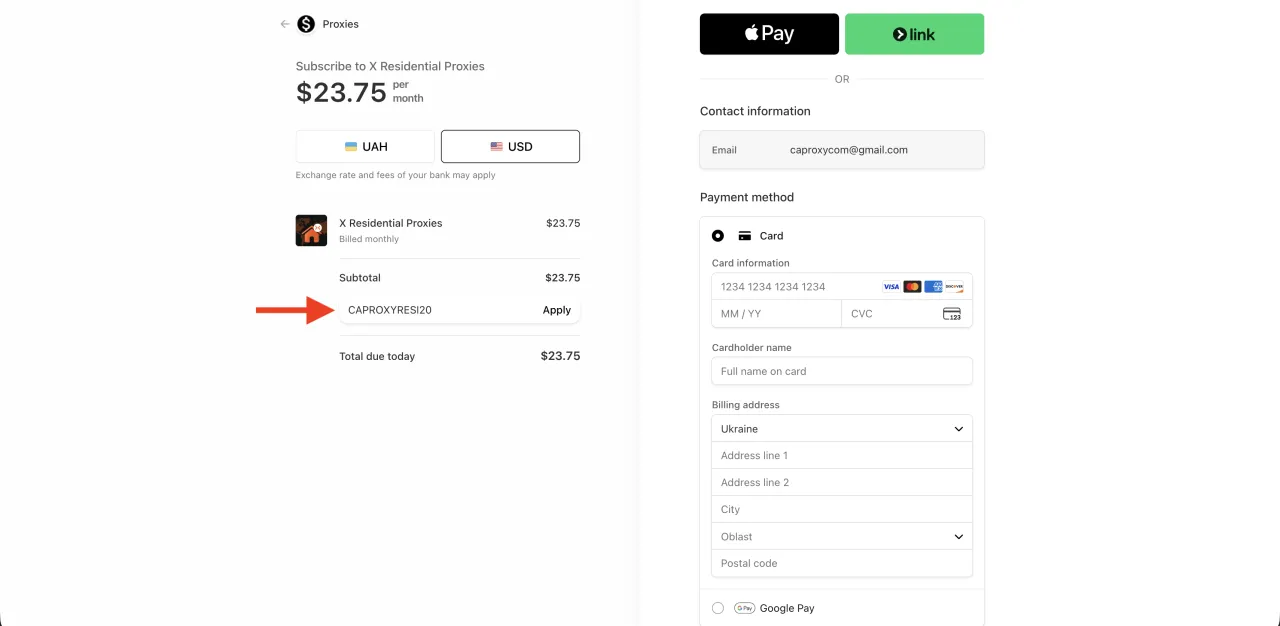
If you pay by bank card, you first need to click "Subscribe Now", and then, when the payment page opens, enter the promo code in the matching field, as shown in the screenshot below.
All in all, applying a promo code is not a complicated process at all — as long as you know where to enter it.