Last updated: 2026-02-25
In this article, we will explain how you can set up your own mobile proxy using an Android phone.
Note: This article is not about adding a proxy to an Android phone. It shows how to turn an Android phone into a mobile proxy that can be used remotely for tasks like multi-accounting, web scraping, and more.
There are two popular services that allow you to create a proxy using a mobile phone: IProxy and Proxidize. Since Proxidize offers a free version for up to 5 devices (ports), we will focus on this option.
To set up a mobile proxy, you will need:
-
An Android smartphone running version 8.0 or higher (1 phone = 1 port)
-
A SIM card with an active plan (1 SIM card = 1 phone)
Step 1. Register and download the mobile app
-
Register on the website: https://proxidize.com/
-
Download the mobile app from Google Play using this link - here
Step 2. Sync your smartphone with the website
When you open the app, you will be prompted to enter a PIN code or scan a QR code. To find it, click on "Proxy Builder".
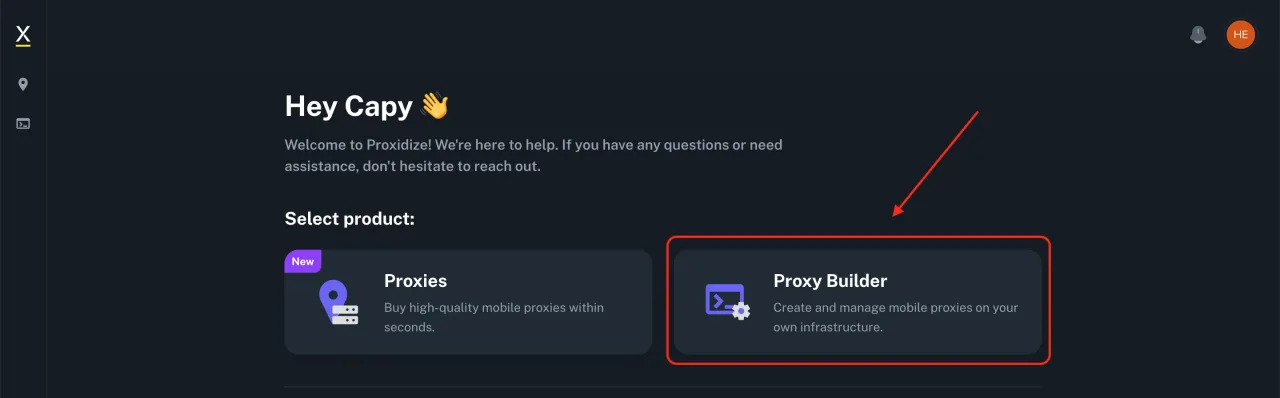
Then, in the top right corner, you will see the QR code icon and the PIN code next to it. If you want to scan the code, click on the QR code, or manually enter the PIN code in the Proxidize app.

Step 3. Configure the app
To configure the app, you need:
-
Enter a device name. You can choose any name, it does not affect the proxy setup.
-
Grant permissions to the Proxidize app. Permissions 1 and 3 should not cause any issues. For the second permission, if a Google icon appears and you cannot grant access, click on the Google icon and select the Proxidize app.

Step 4. Start and test the proxy
To start the proxy, tap Connect in the Proxidize app. Once the connection is established, you can begin using the proxy.

On the Proxidize website, under the "Proxies" tab, you will see your connected device. Copy the information including the server, port, username, and password.

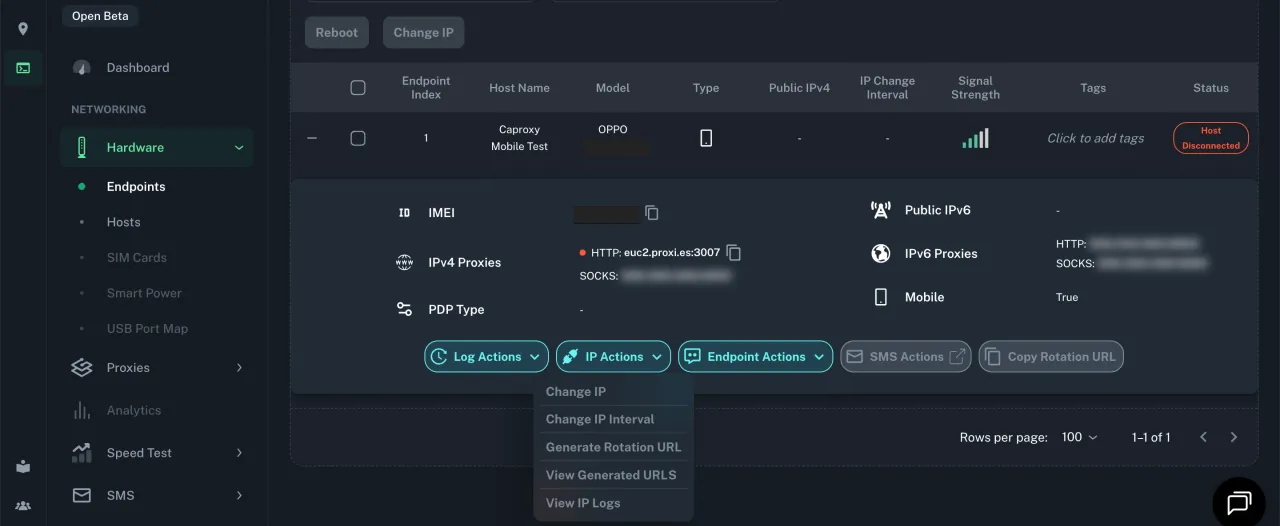
In the "Hardware" menu, under "Endpoints" you can check the status of your connected device. You can also configure IP address changes if you have a paid plan. For the free plan, you can change the IP address using airplane mode (turning it on and off).
Conclusion
That’s it! Setting up your own mobile proxy took about 5 minutes. With Proxidize, you can connect up to 5 devices for free. If you need more features or more devices, you will need to switch to a paid plan.