In this article, we will look at the reasons why a proxy may not work.
1. You are using free proxies
When you use free proxies, it is important to understand that they are publicly available, which means:
-
The person who posted them may have provided incorrect authentication details.
-
Many users are using the same proxy at the same time, making it so slow that it seems like it does not work.
-
The proxy server owner shut it down or the server stopped working.
2. You entered incorrect authentication details
For a proxy to work, you must know the following information:
-
Proxy port
-
Proxy server
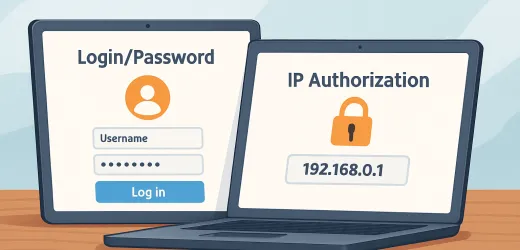
And if it is a private proxy, you must also know the login/password, or your personal IP address must be whitelisted on that proxy server. You can read more about authentication methods here.
So, you need to double-check that all the details you entered are correct.
3. You were sold a low-quality proxy
You can check whether your proxies work using our free proxy checking service. The interface is simple and intuitive, and you can either use the standard proxy check form or enter proxies as a list, which is especially useful for bulk testing.
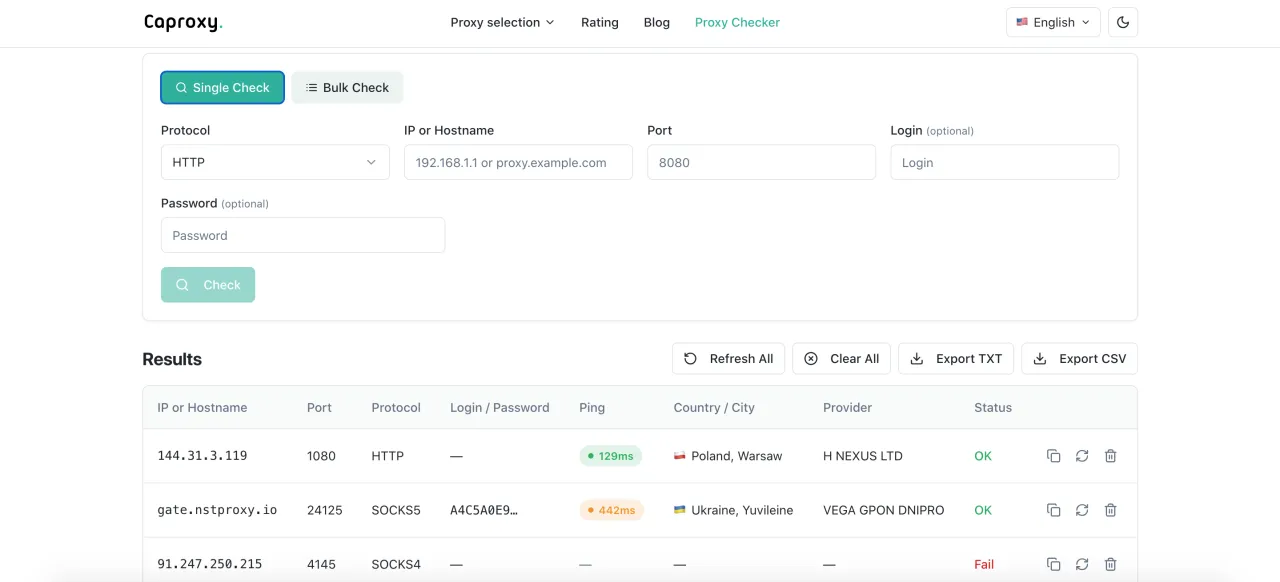
If after checking you see the status "Fail", it means the proxy is not working or the data was entered incorrectly. If the proxy is working, you will receive its details.
Honestly, finding working free proxies turned out to be a difficult task. We tested about 30 proxies, and only one of them worked, and even that one had the wrong geolocation and stopped working almost immediately. So, to demonstrate what working proxies look like, we had to use purchased proxies. You can see examples of working and non working proxies in the screenshot above.
4. The proxies are not suitable for your tasks
There may be situations where you chose the wrong type of proxy, or the proxy simply doesn’t fit your needs. Here are a few recommendations:
-
For bypassing strict censorship: proxies will not work — use ProtonVPN.
-
For parsing (web scraping): rotating residential or mobile proxies.
-
For multi-accounting or bypassing geoblocks: ISP proxies.
Also, if you use proxies for websites, it is better to choose the HTTPS protocol, and if you use them for apps, games, video calls, etc., then SOCKS5 is the better option. You can read an article about the difference between these protocols here.
5. Something is blocking the proxy from working correctly
Something on your device may be blocking the proxy, for example:
-
Malware is altering network settings.
-
Your ISP is blocking proxy subnets.
-
Your antivirus is blocking outgoing requests.
The simplest way to rule these problems out is to try connecting the proxy on another device. If the proxy works correctly on a different device, the issue is with your device.
To rule out problems with your home ISP, try connecting through mobile internet. If everything starts working, then the issue is with your provider.
Summary
When your proxies are not working, the first thing you should do is check their functionality using a dedicated tool — here.
-
If the tool says the proxies are not working, contact the support team of your proxy provider.
-
If the tool says the proxies are working, double-check the details you entered when connecting to the proxy (server, port, login, password).
-
If the details are correct, also verify the protocol you are using (SOCKS5 or HTTPS).
- If you are using the correct protocol, then it is possible that the proxy is not suitable for your tasks, or something on your device is blocking the proxy from working correctly.
-
To avoid unreliable proxy providers, we recommend checking our proxy provider rating. There you will find the largest list of providers, which you can filter by the parameters you need.