Which promo code saves more
| Proxy type | Price without code | Best code | With code |
|---|---|---|---|
| Shared Mobile Proxies | $20-40/port/Month1 IP | QALCDK_843602 −10% | $18-36/port/Month |
| Individual IPv6 Proxies | $0.16/IP/Month1 IP | CAPROXY −15% | $0.14/IP/Month |
| ISP Proxies | $3.0-3.5/IP/Month1 IP | CAPROXY −15% | $2.55-2.98/IP/Month |
| Dedicated Datacenter Proxies | $1.64-3.3/IP/Month1 IP | CAPROXY −15% | $1.39-2.81/IP/Month |
| Static Residential Proxies | $3.0-3.5/IP/Month1 IP | CAPROXY −15% | $2.55-2.98/IP/Month |
| Dedicated Mobile Proxies | $49-180/port/Month1 IP | QALCDK_843602 −10% | $44.1-162/port/Month |
| Rotation Residential Proxies | $3.5/GBPay-as-you-go | CAPROXY −15% | $2.98/GB |
| Rotation Mobile Proxies | $49-180/MonthUnlimited | QALCDK_843602 −10% | $44.1-162/Month |
Price of the smallest package in the provider’s price list.
Proxy Seller https://proxy-seller.com
Proxy Type
Mobile ProxiesResidential ProxiesShared Mobile ProxiesIndividual IPv6 ProxiesISP ProxiesDatacenter ProxiesDedicated Datacenter ProxiesStatic Residential ProxiesHow to Use a Promo Code in Proxy Seller
The process of applying a promo code on the Proxy-Seller website does not differ and is the same regardless of whether you have registered or not, and it is also identical for all types of proxies.
Here is a quick guide:
-
Go to the website: https://proxy-seller.com/
-
Complete the registration to create a personal account (optional)
-
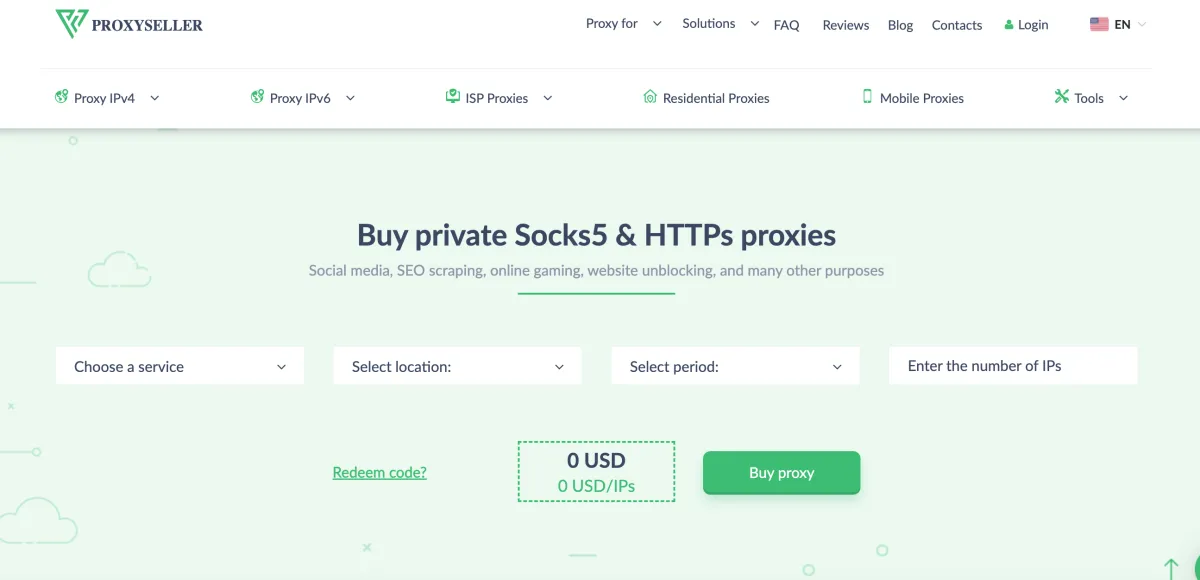
Select the required proxy type directly from the menu or on the homepage
-
Set the purchase parameters (quantity, purchase period, and country). If these are residential proxies, then you do not need to select a country, since targeting can be configured after the purchase
-
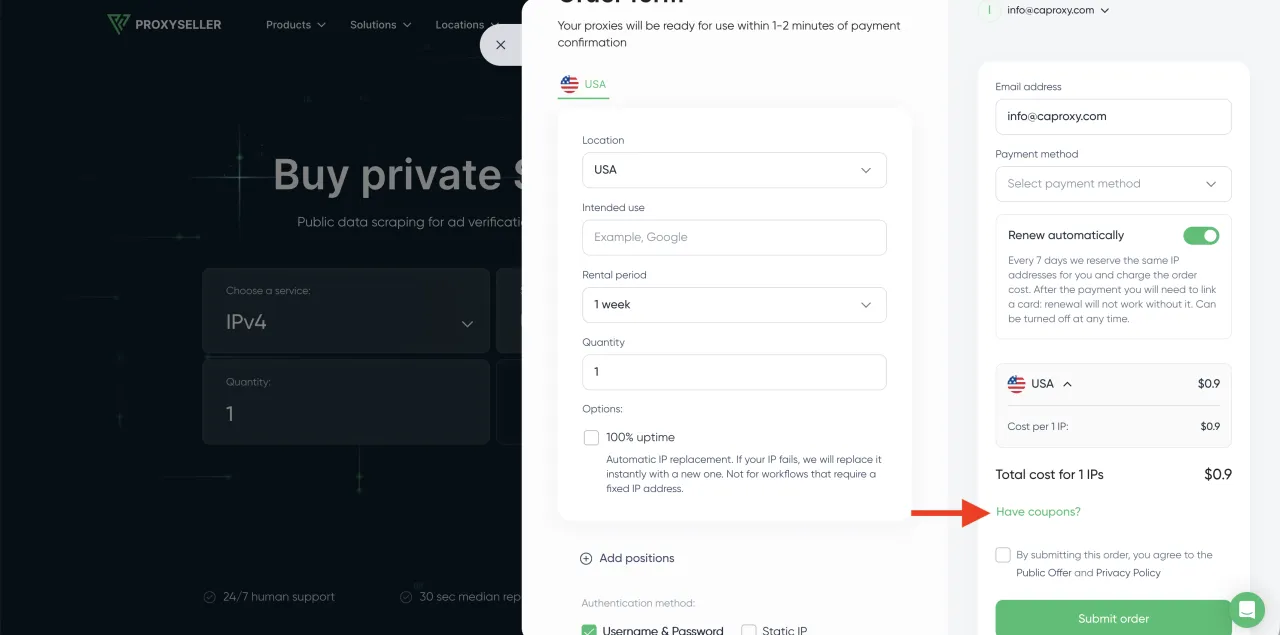
Click the "Buy Proxies" button and an order confirmation window will open.
-
Click on the phrase "Have coupons?" and a field for entering the promo code will appear
-
Enter the promo code QALCDK_843602 and the system will automatically apply a 10% discount. If for some reason you do not see that the total has decreased by 10%, check whether JavaScript is enabled in your browser or try using a different browser.