
Which promo code saves more
| Proxy type | Price without code | Best code | With code |
|---|---|---|---|
| Individual IPv6 Proxies | $0.51/IP/Month1 IP | CAPROXY −10% | $0.46/IP/Month |
| Dedicated Datacenter Proxies | $1.77/IP/Month1 IP | CAPROXY −10% | $1.59/IP/Month |
| Shared Datacenter Proxies | $0.99/IP/Month1 IP | CAPROXY −10% | $0.89/IP/Month |
Price of the smallest package in the provider’s price list.
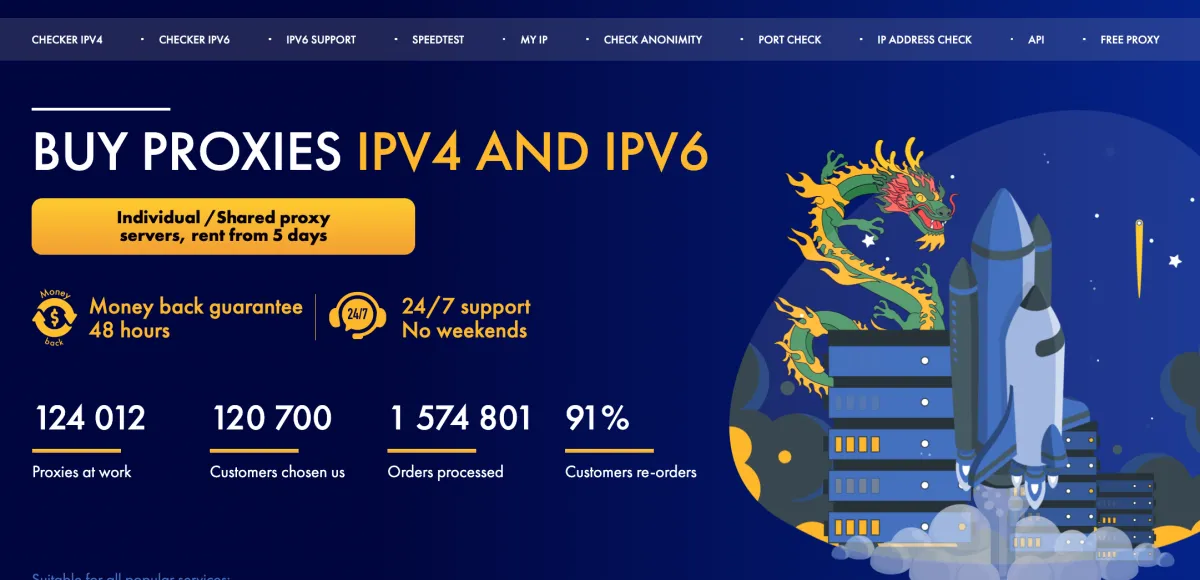
SpaceProxy https://spaceproxy.net
Proxy Type
Individual IPv6 ProxiesDatacenter ProxiesDedicated Datacenter ProxiesShared Datacenter ProxiesHow to Use a Promo Code in SpaceProxy
With SpaceProxy, you can make a purchase either without registration or through a personal account after signing up. Let’s look at both options and show you where to enter the coupon (promo code) to get a 10% discount on your order.
Option 1: Adding a coupon after registration
To do this, go to the website https://spaceproxy.net/ and click the "Регистрация" button in the top right corner. After that, a registration page will open where you will need to enter your email.

After you enter your email and click the registration button, you will receive an email with a password that you will need to use to log in to the SpaceProxy website. Later, you can change the password through your personal account, but that’s not what we’re focusing on right now, let’s add a promo code to our order.
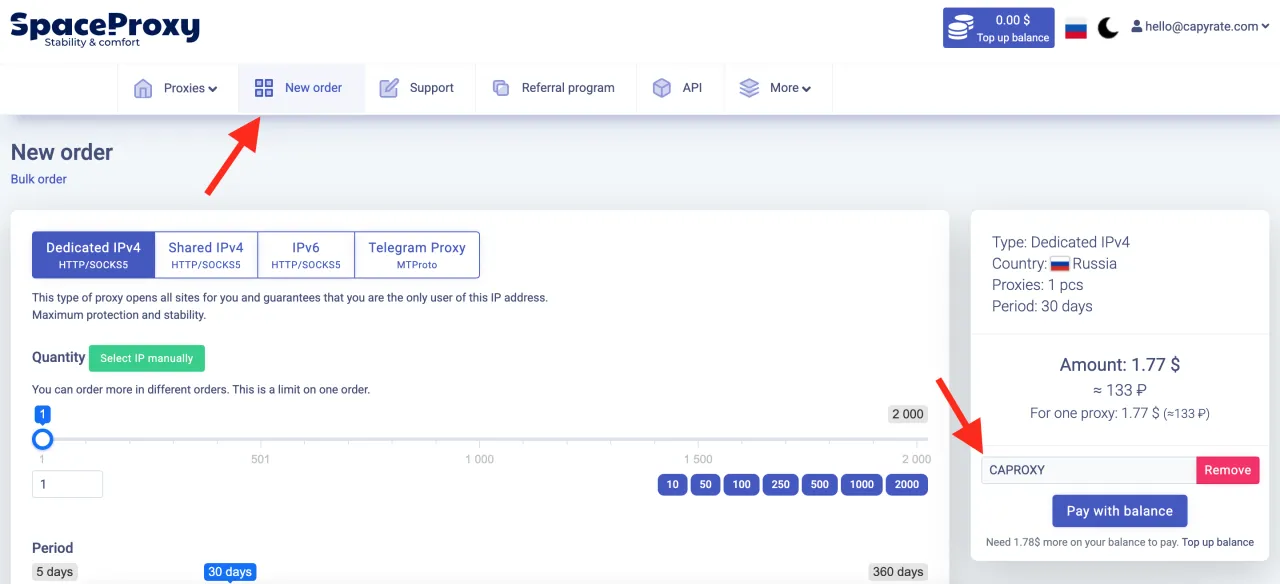
Next to the logo, click on the "New Order" tab and a page for purchasing proxies will open. Select all the required parameters (proxy type, quantity, purchase period, and country). Then, above the purchase button, enter the coupon and apply it. You will see that the total amount becomes 10% lower after applying the coupon.
Option 2: Adding a coupon without registration
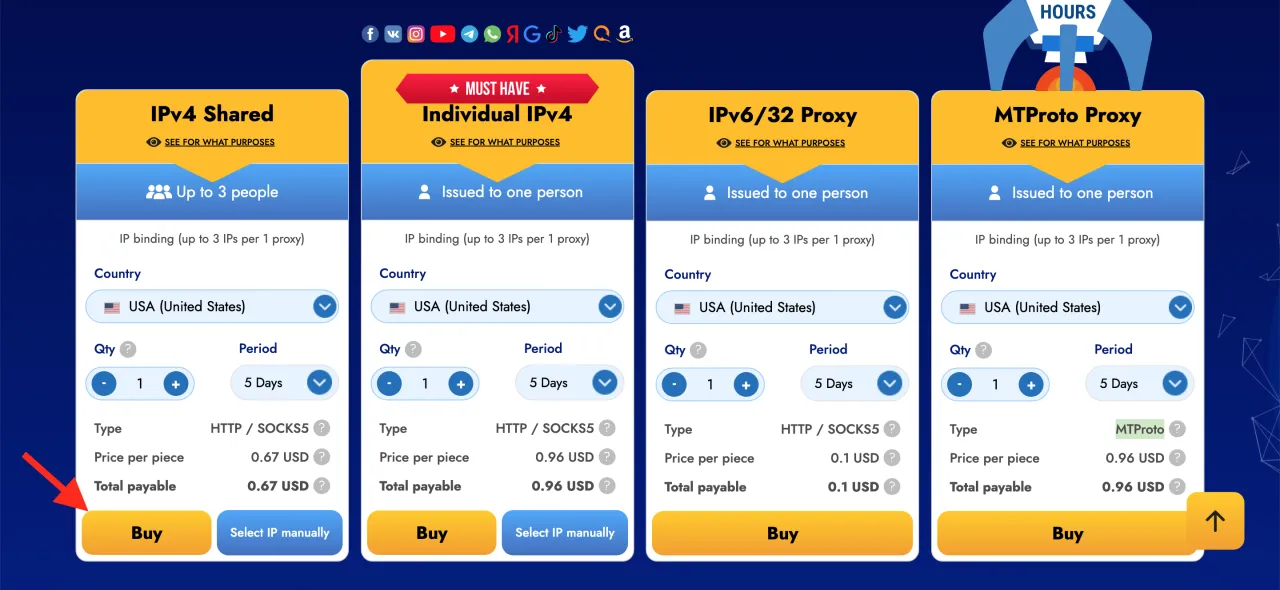
For this, scroll down a bit on the homepage and you will see pricing with proxy types. Right on the homepage, select all the required parameters for the proxy type you need (quantity, purchase period, and country), then click the "Buy" button.
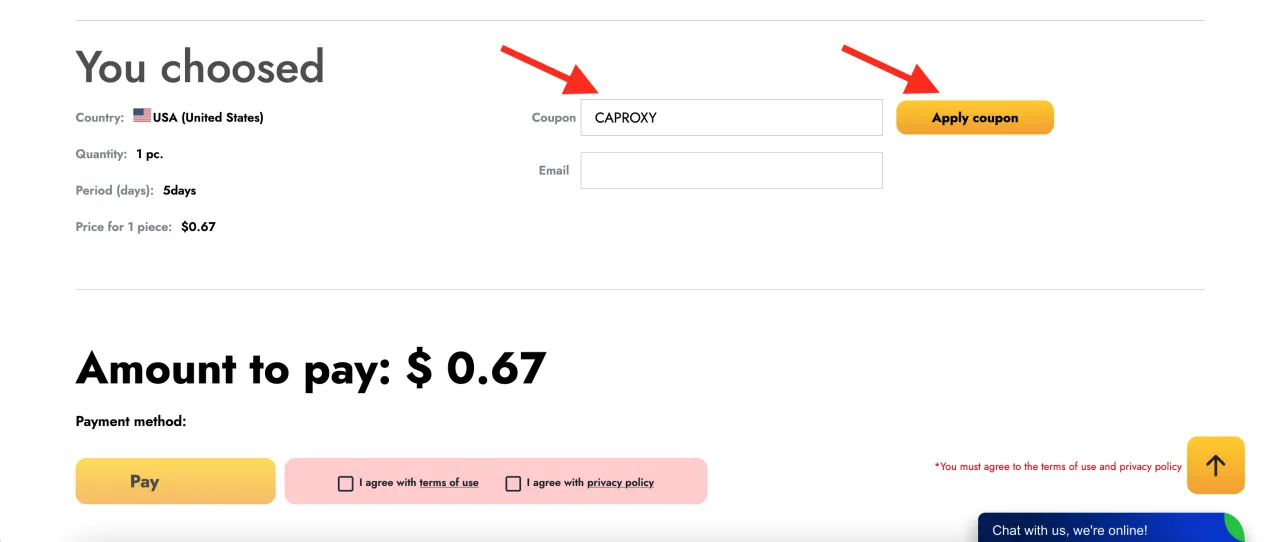
A checkout page will open. At this stage, you need to choose your preferred payment method and scroll down. There you will see a field to enter a promo code as shown in the screenshot below. Enter the promo code and you will get a 10% discount on your order.
That’s it! Now you know how to get a discount on proxy purchases at SpaceProxy. You can do this either after registration or without registration directly from the homepage.