Which promo code saves more
| Proxy type | Price without code | Best code | With code |
|---|---|---|---|
| Shared Mobile Proxies | $50.0/port/Month1 IP | CAPROXY −5% | $47.5/port/Month |
| ISP Proxies | $5.29/IP/Month1 IP | CAPROXY −5% | $5.03/IP/Month |
| Dedicated Datacenter Proxies | $2.33-2.92/IP/Month1 IP | CAPROXY −5% | $2.21-2.77/IP/Month |
| Static Residential Proxies | $5.29/IP/Month1 IP | CAPROXY −5% | $5.03/IP/Month |
| Dedicated Mobile Proxies | $50.0-191.0/port/Month1 IP | CAPROXY −5% | $47.5-181.45/port/Month |
| Shared Datacenter Proxies | $1.85-2.37/IP/Month1 IP | CAPROXY −5% | $1.76-2.25/IP/Month |
| Rotation Residential Proxies | $3.90/GB/Month1 GB | CAPROXY −5% | $3.71/GB/Month |
| Rotation Mobile Proxies | $50.0-191.0/MonthUnlimited | CAPROXY −5% | $47.5-181.45/Month |
Price of the smallest package in the provider’s price list.
CyberYozh https://app.cyberyozh.com
Proxy Type
Mobile ProxiesResidential ProxiesShared Mobile ProxiesISP ProxiesDatacenter ProxiesDedicated Datacenter ProxiesStatic Residential ProxiesDedicated Mobile ProxiesHow to Use a Promo Code in CyberYozh
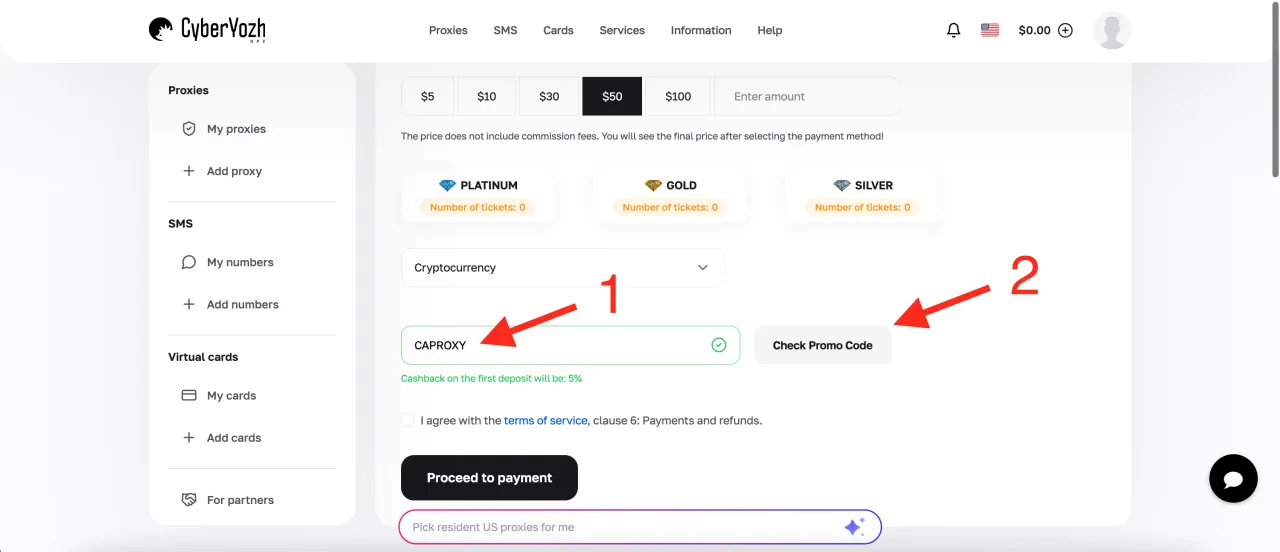
The promo code CAPROXY gives you a 5% bonus on your first balance top up. Let's take a look at how it works.
-
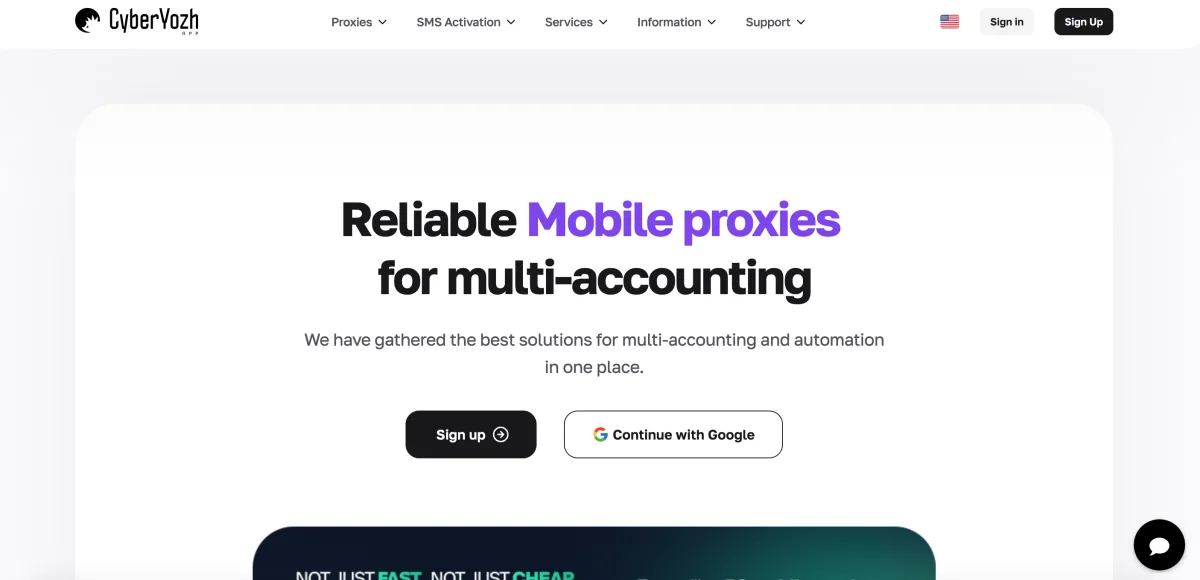
Register on the website https://app.cyberyozh.com/ by clicking the "Sign Up" button in the top right corner. The registration process is straightforward and you can sign up either with a standard email registration or by using Google or MetaMask.
-
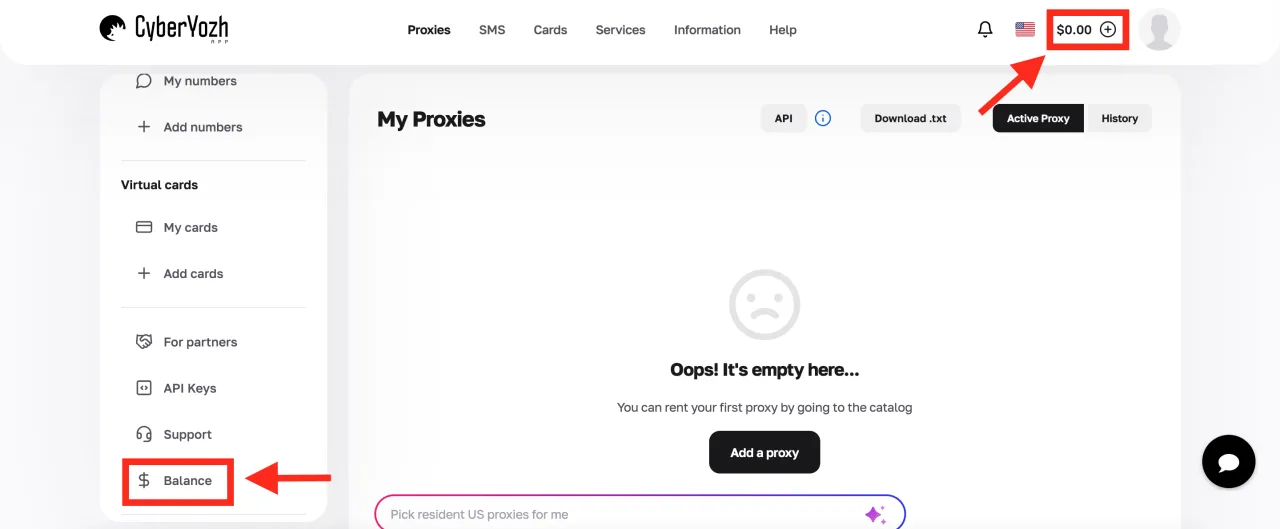
After registration, the main page of your personal account will open. At this stage, you need to go to the balance top up section. You can do this in two ways, both of which are highlighted in the screenshot.
-
On the balance page, choose the amount you want to add, select a payment method, enter the promo code CAPROXY in the appropriate field, and click "Check Promo Code" as shown in the screenshot below.