Published: 2026-09-17
Managing several accounts on the same platform is a more complicated process than just having different logins. This becomes especially relevant when you use multiple accounts to launch advertising campaigns and monetize traffic. From an advertising platform’s perspective, the whole setup needs to remain transparent and fair. Platforms therefore have an interest in understanding how accounts are connected and making sure that advertisers do not gain an unfair advantage simply by splitting their activity across multiple accounts and using them to access higher campaign volumes or limits than a single account would normally allow. To make these assessments, platforms analyze browser, device and connection data and look for links between accounts operating from the same environment.
However, multiaccounting is not necessarily a problem in itself. There are legitimate reasons to use several accounts, especially when running multiple campaigns, testing different approaches or separating projects and workflows. The challenge is making sure that legitimate activity does not get mistaken for suspicious account behavior.
False accusations and bans happen regularly and an account may sometimes be restricted even when there is no violation behind it. For advertisers working with multiple campaigns and significant traffic volumes, this can turn into a costly interruption.
This is why advertisers and SMMs use antidetect browsers. Being one of the most popular solutions on the market, Dolphin Anty helps separate accounts instead of making each one look as if it is being operated from the same setup. Here is our review of this antidetect.
By the way, you can get 20% off your first paid subscription with promo code CAPROXY.
Digital Fingerprint Management
The first thing you set up in Dolphin Anty is a browser profile. Each profile works as a separate environment, with its own fingerprint and settings.
Fingerprint parameters can be generated automatically or configured manually. Dolphin Anty can modify a range of browser and device characteristics, including:
- Operating system;
- User-Agent;
- Canvas;
- WebGL;
- Client Hints;
- Fonts;
- WebRTC;
- HTTP headers, including X-Browser-Validation;
- Screen and device parameters.
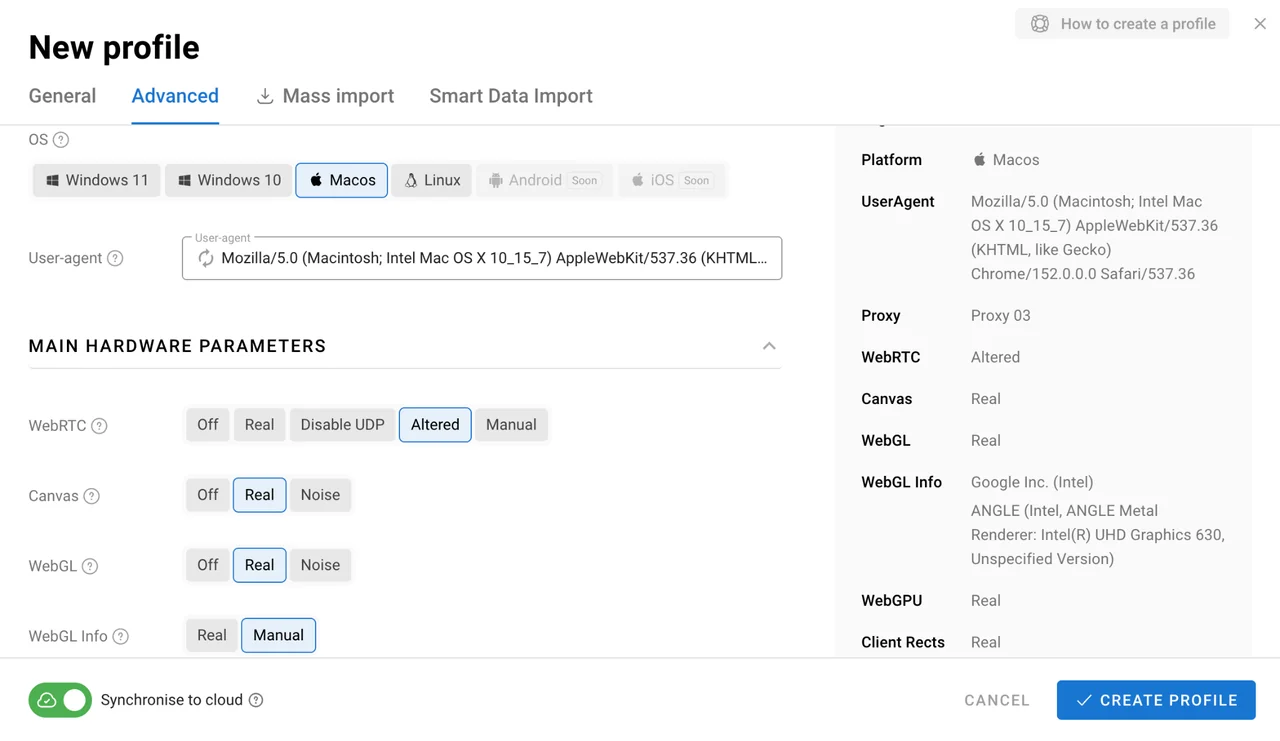
The browser also lets you change the device name, which is not always available in competing antidetect browsers. Besides that, Dolphin Anty spoofs the x-browser-violation-header making sure that Google services see the real Chrome client.
The idea of such a deep spoofing is to keep profiles separated from one another. Changes made inside one profile do not automatically affect the others, which makes it easier to maintain a large number of them.
Proxies: Connecting a Separate IP to Each Profile
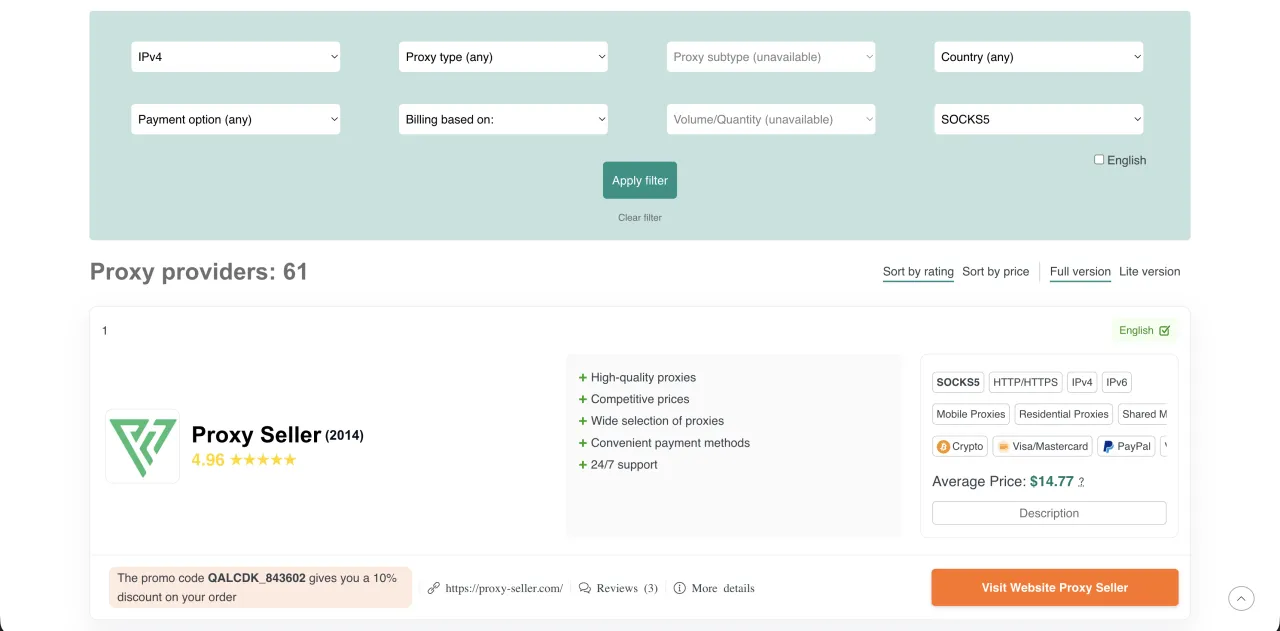
Browser fingerprinting is only one part of the setup. If several profiles connect through the same IP address, separating their browser environments alone is becoming useless. This is why the proxy layer is as important as the fingerprint settings. A stable proxy with a location that matches the profile makes the whole setup more consistent. Caproxy provides proxies from different sellers with different options available depending on the location and connection requirements of your project. But all of them are high-quality and suitable for any kind of workflow.
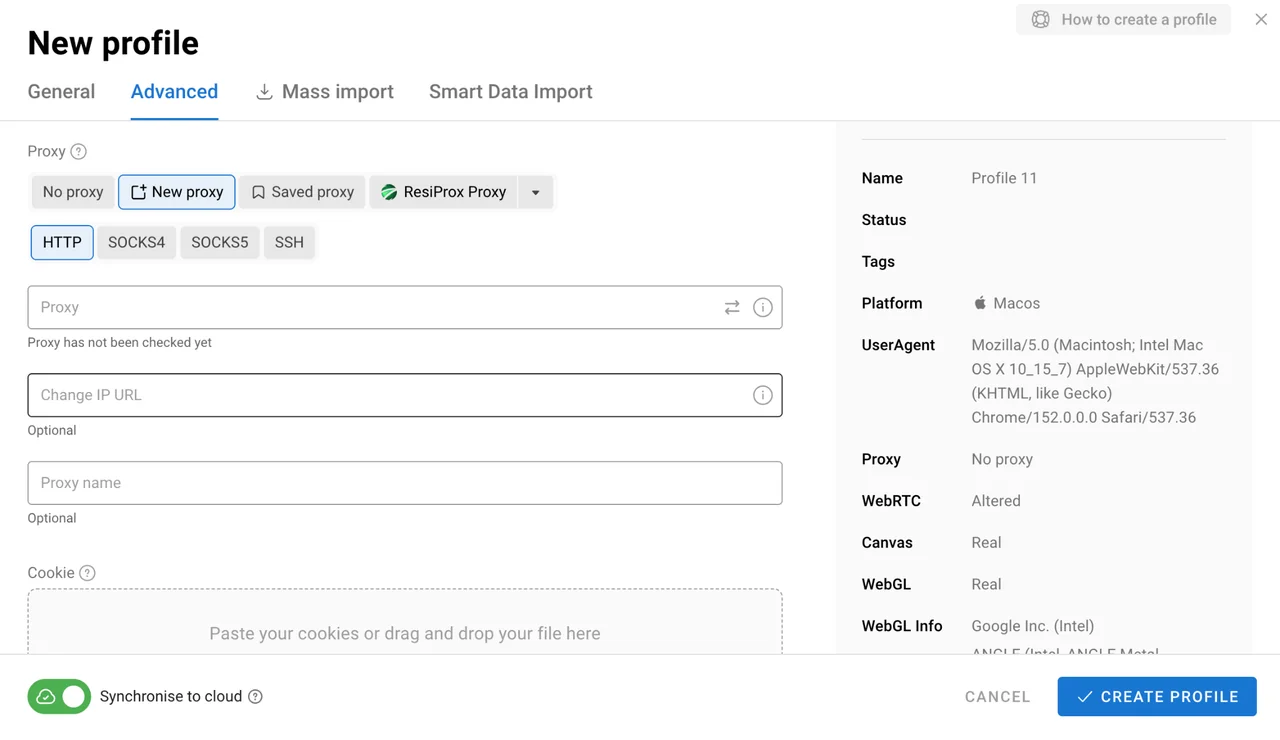
Dolphin Anty gives you several ways to add proxies depending on your volume.
Add a proxy while creating a profile
You can assign a proxy directly when creating a new browser profile. Enter the connection details in the proxy section and the proxy will be associated with that profile.
Add proxies to the proxy manager
If you already have a list of proxies, you can add them to Dolphin Anty’s dedicated proxy section first and assign them to profiles later.
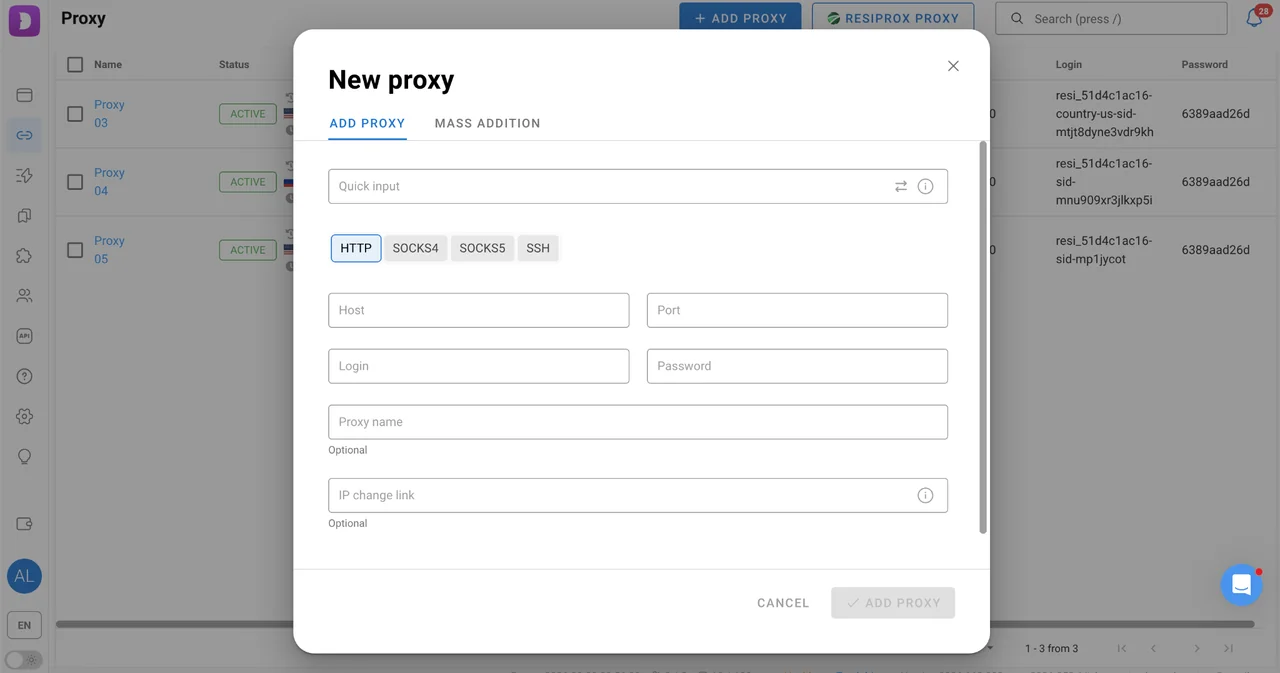
The browser also supports quick input. Instead of filling in every field separately, you can paste the connection details in the format provided by your proxy provider and Dolphin Anty will distribute the information between the relevant fields.
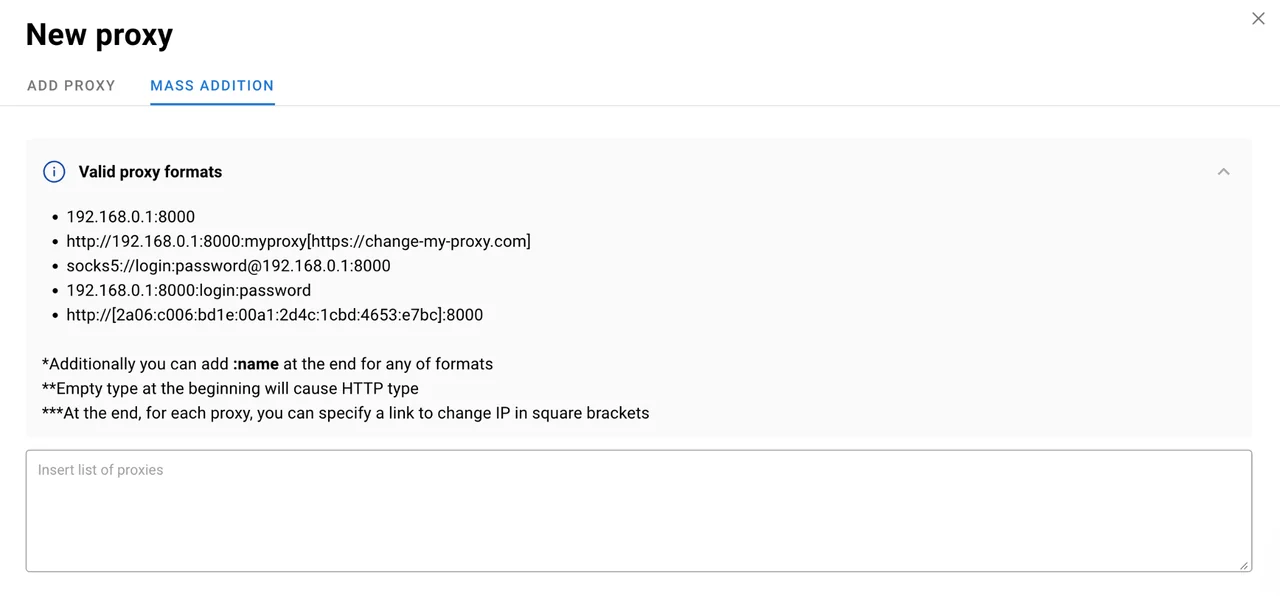
Import proxies in bulk
For larger projects, adding proxies one by one would be unnecessarily slow. Dolphin Anty supports bulk proxy import, allowing you to add a larger list and then assign the connections to your profiles.
Proxies can also be distributed across multiple profiles through the bulk actions panel. Just select the required profiles, choose the Change Proxy button and specify how the connections should be assigned.
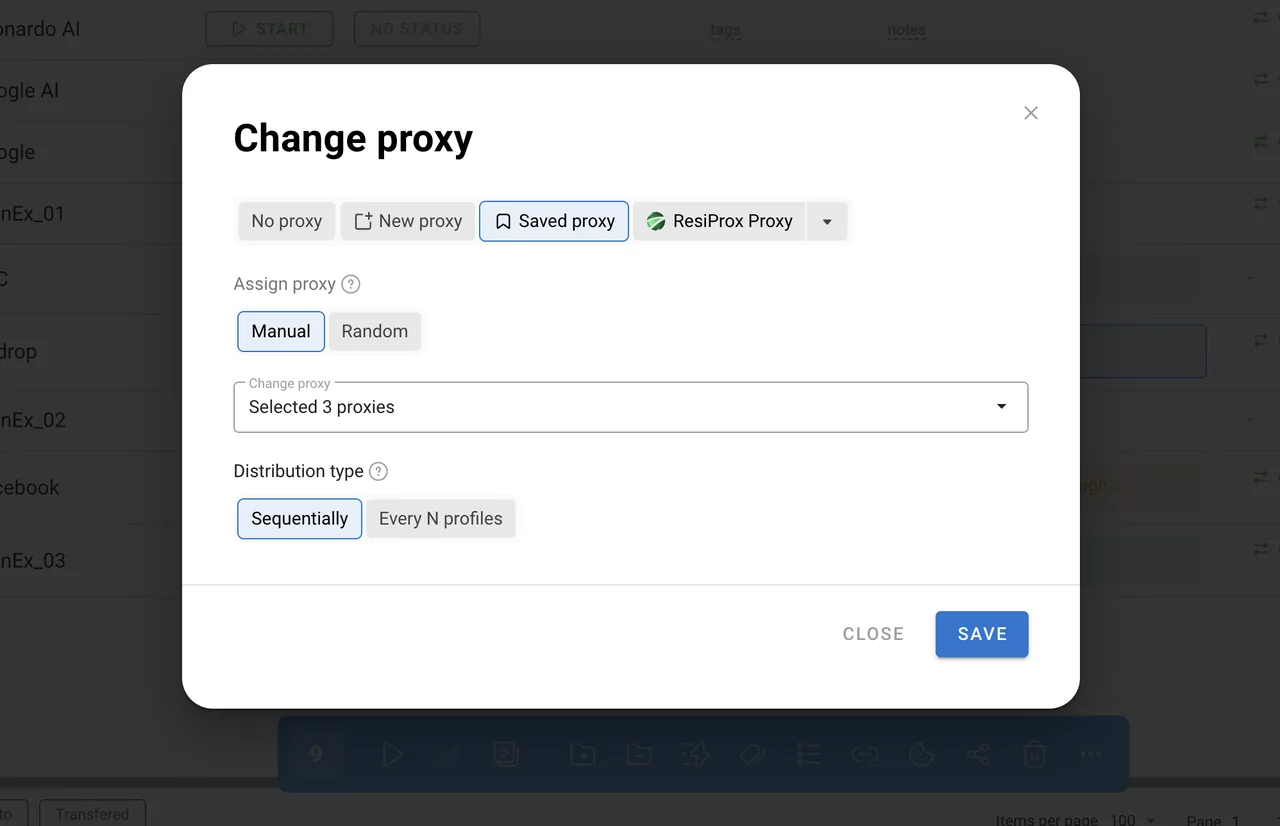
Before using a proxy, you can check whether the connection works and whether its IP address and location are detected correctly. Dolphin Anty can also adjust parameters such as timezone, language and geolocation according to the selected proxy, helping keep the profile configuration consistent.
Keeping a Large Profile Base Organized
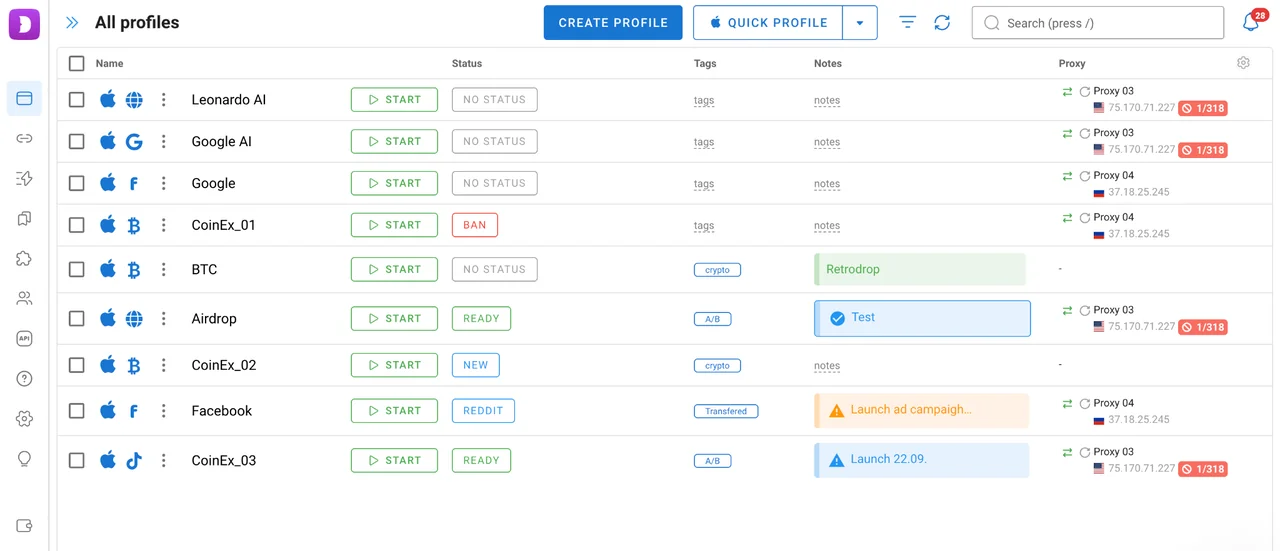
Once you have dozens or hundreds of profiles, simply having them available in one list is not enough. You also need a way to find the right account quickly and understand what each profile is used for.
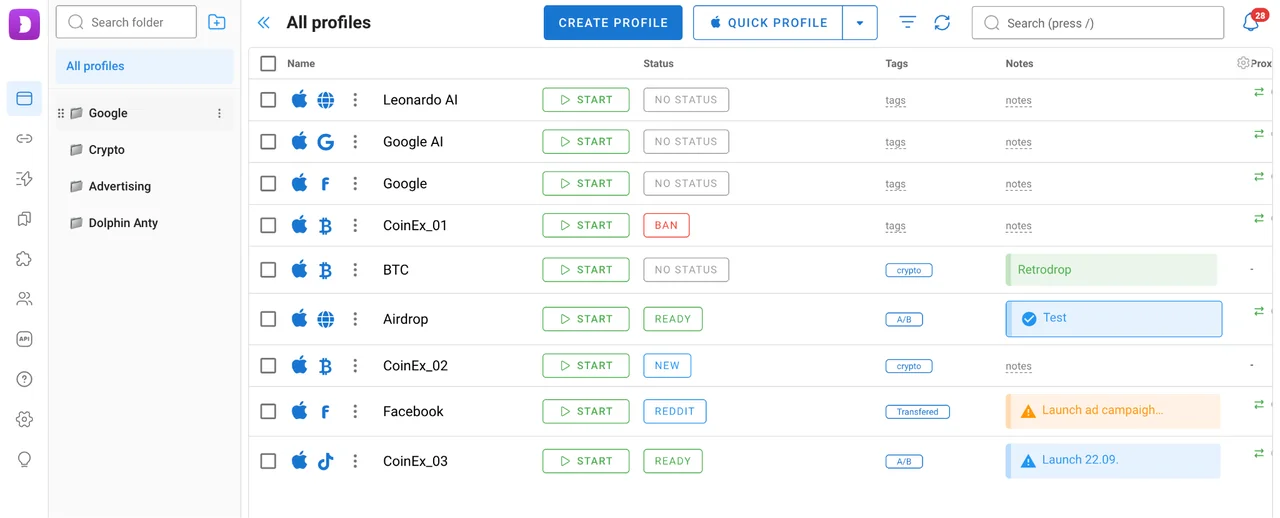
Dolphin Anty includes several tools for this:
- Folders for grouping profiles;
- Tags;
- Statuses;
- Notes;
- Filters;
- Pinned profiles;
- Customizable columns.
You can also add bookmarks, extensions, and startup pages to individual profiles.
There are profile types for popular platforms such as Facebook, Google, TikTok and crypto services. Selecting the relevant profile type during profile creation adds useful bookmarks automatically. For teams and anyone managing a large account base, these small organizational features become particularly useful. Automation Tools
Automation Tools
Dolphin Anty also includes several tools for reducing repetitive work.
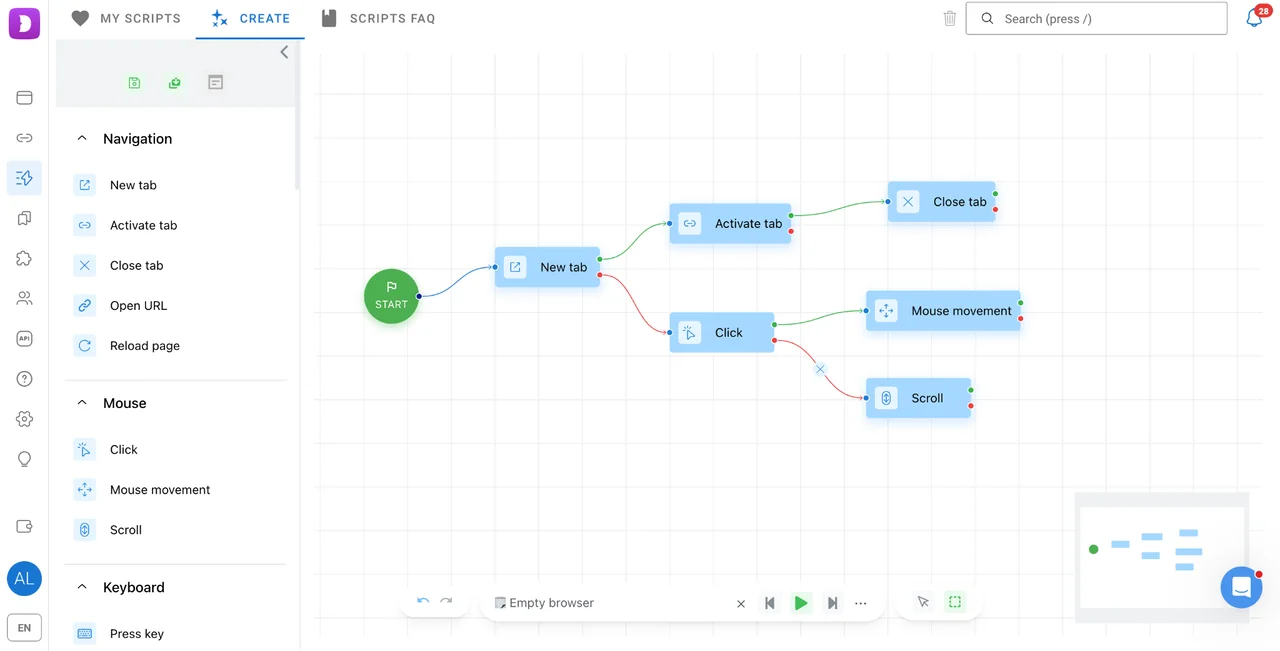
Scenarios let you create a sequence of browser actions. For example, a scenario can open a specific page, perform an action and then move to the next step. The same scenario can be launched across one or several profiles.
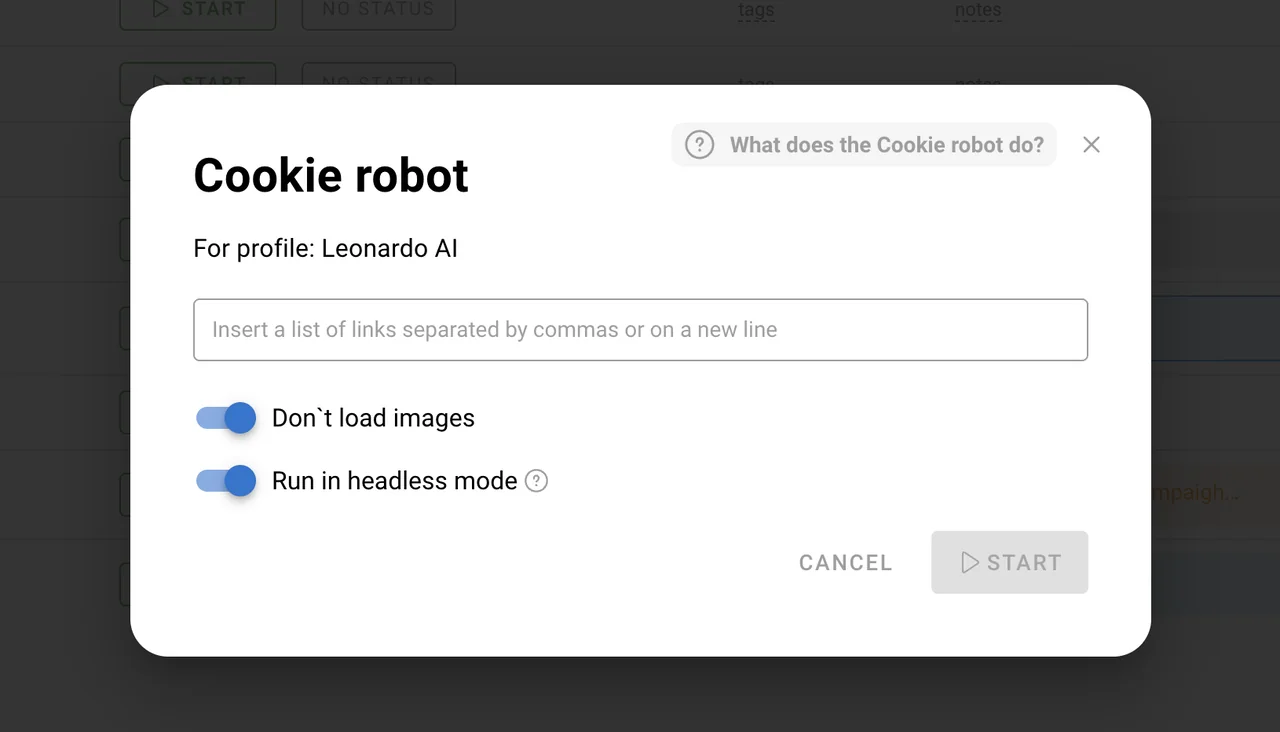
Cookie Robot can collect cookies for a profile in the background without loading images, which can speed up certain profile preparation tasks.
Synchronizer allows you to perform the same actions across several open profiles at once. For example, instead of repeating the same action manually in every account, you can synchronize the selected browser windows.
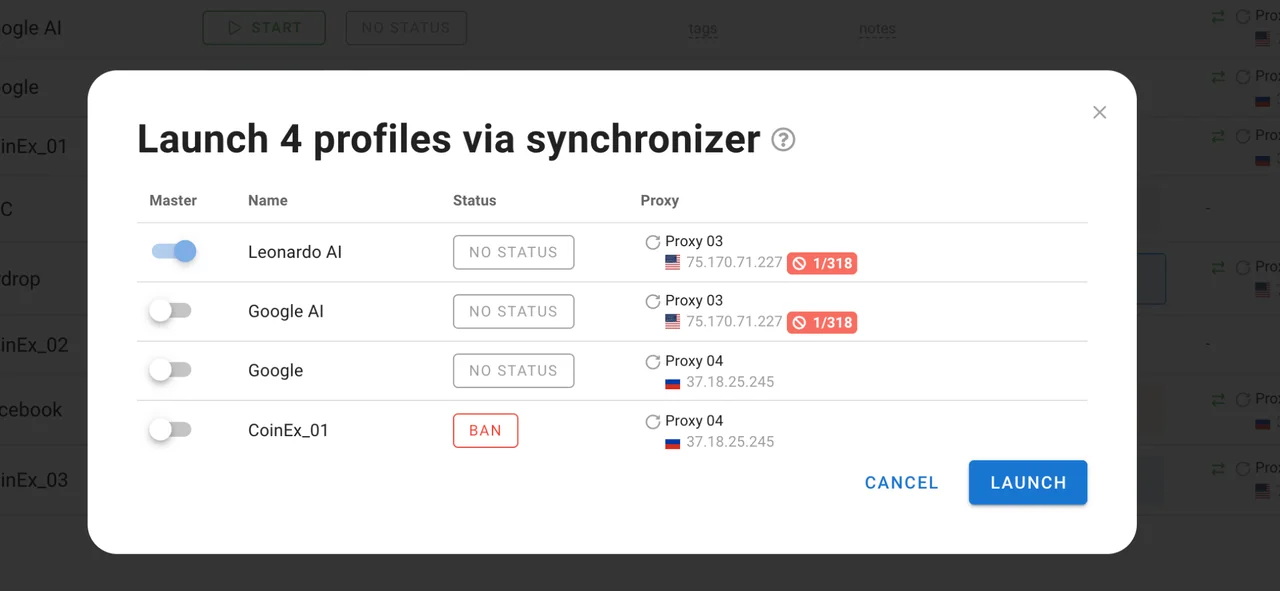
These tools are not designed to replace every manual task, but they can take a lot of repetitive clicking out of day-to-day work.
Team Features
Dolphin Anty also works for teams rather than just individual users.
You can assign different roles, including administrator, team leader and user, and control what each team member can access. This makes it possible to separate management tasks from everyday account work without giving every employee access to the entire workspace.
Profiles also can be shared with another user while remaining available to the original owner or transferred completely to another team member.
Dolphin Anty Pricing
Dolphin Anty has a free plan and several paid options. The main differences are the number of available profiles and the tools provided for larger teams.
- Free – $0/month: up to 5 profiles.
- Starter – from $10/month: 20 profiles, with the option to purchase additional capacity.
- Base – $89/month: up to 100 profiles.
- Team – $159/month: up to 300 profiles.
- Enterprise – $299/month: up to 1,000 profiles.
The Starter plan is intended for smaller individual setups, while the higher tiers are aimed at users and teams managing larger profile bases.
Conclusion
Dolphin Anty brings several parts of a multiaccount workflow together in one browser: isolated profiles, fingerprint management, proxy integration, profile organization, automation and team access controls. The important thing is not to treat an antidetect browser as a guarantee against account restrictions. A separate browser fingerprint works best when the rest of the profile setup is consistent as well. That includes the connection itself, which is why choosing a reliable proxy provider matters.
Discount: Get 20% off your first dolphin{anty} paid subscription with promo code CAPROXY.